In That Instant: A Photography Tutorial
In that fleeting moment, when everything seems to freeze in time, when the world around us stops, there exists a unique opportunity to capture the essence of that very second. This is the essence of photography—turning the chaos of life into a moment that speaks volumes. Whether you're a seasoned photographer or just beginning, understanding how to capture that "perfect" moment is an art that requires practice, patience, and a little bit of creativity.
The Art of Composition
At the heart of every great photograph lies a well-crafted composition. It's not just about the subject in the frame; it's about how you arrange elements within the frame to create a balanced and visually appealing image. Think of it as a puzzle where every piece has its place. A well-composed photograph tells a story, guides the viewer's eye, and creates a connection between the viewer and the subject.
One of the most fundamental principles of composition is the rule of thirds. By dividing the frame into thirds both horizontally and vertically, you create nine points of interest. Placing your subject at one of these intersection points can make it stand out and draw the viewer's attention. But composition isn't just about placing your subject; it's about creating a sense of depth and perspective.

Another important aspect of composition is leading lines. These are elements in the photograph that guide the viewer's eye along a path, creating a sense of movement or direction. Leading lines can be subtle, like the edge of a building or the curve of a tree, or they can be more pronounced, like a diagonal line across the frame. The key is to use these elements to create a sense of balance and harmony in the image.
The Power of Light
Light is one of the most powerful tools in a photographer's arsenal. It not only defines the mood of a scene but also shapes the way we perceive the world. Understanding how to work with light is essential for creating images that are both visually stunning and emotionally resonant.
There are three primary types of light: natural light, diffused light, and artificial light. Natural light, which is the light we're most familiar with, is soft and warm. It creates a sense of calm and comfort, and it's ideal for portraits and landscapes. Diffused light, on the other hand, is softer and more diffused, often creating a more dramatic and dynamic effect. Artificial light, or stage light, is the most directional and precise type of light. It's often used in commercial photography and is ideal for creating sharp, clean lines and shadows.
One of the most important things to consider when working with light is the concept of leading light. This is the light that draws the viewer's eye to the subject. By using leading light, you can create a sense of direction and guide the viewer's attention to the most important part of the image. For example, if you're photographing a landscape, you might use the light to draw the viewer's eye towards the horizon or a particular feature in the foreground.
The Storyteller's Perspective
Photography is not just about capturing a moment in time; it's about telling a story. Every photograph tells a story, but some tell it better than others. The key to a compelling photograph is to create a connection between the viewer and the subject. This can be achieved through the use of composition, lighting, and the overall mood of the image.

One of the most important aspects of storytelling in photography is the use of contrast. Contrasting elements, such as light and dark, can create a sense of depth and drama. For example, a photograph that contrasts a bright, sunny sky with a dark, shadowy foreground can create a sense of tension and drama. This contrast can make the image more engaging and memorable.
Another important element of storytelling in photography is the use of motion. Motion can create a sense of speed and energy, and it can be used to draw the viewer's eye through the frame. Whether it's the movement of a bird in flight or the rush of water, motion can add a dynamic quality to the photograph.
The Final Touch
In the end, photography is about capturing the essence of a moment. It's about turning the chaos of life into something beautiful and meaningful. Whether you're photographing a landscape, a portrait, or a still life, the key is to focus on the details that matter most. Pay attention to the light, the composition, and the overall mood of the image. And most importantly, have fun.
So the next time you're out taking photographs, remember that every great photograph tells a story. It's up to you to decide what that story is.


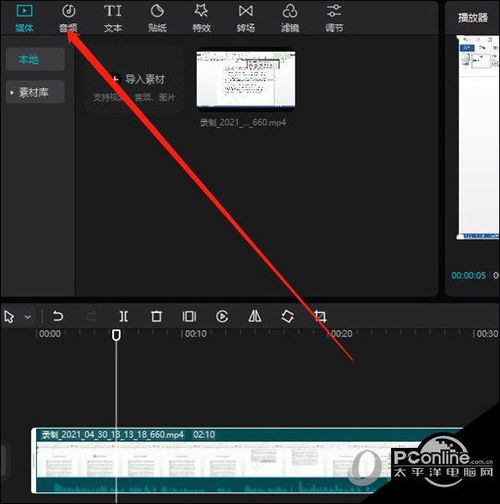
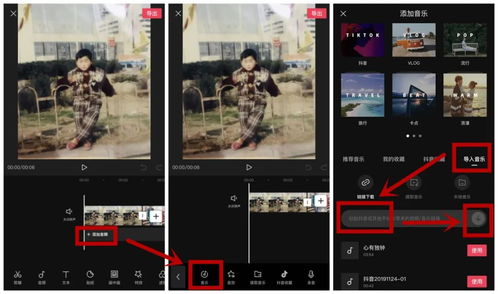

用剪映拍摄中视频教程怎么弄网友评论